




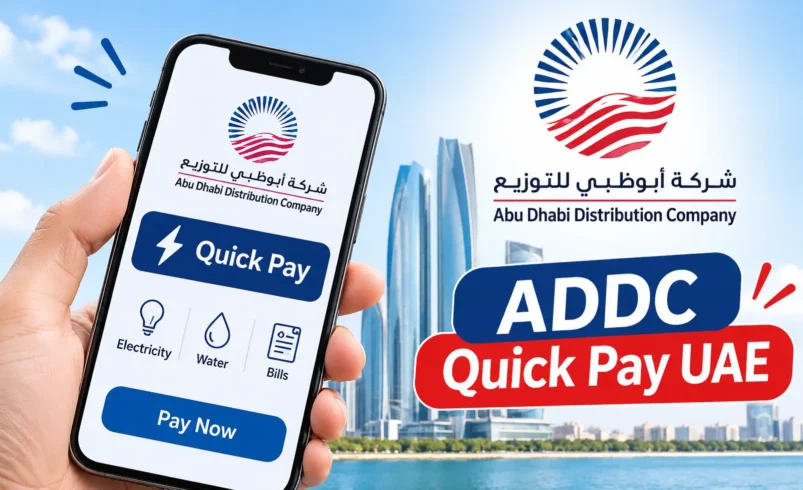

If you live in Abu Dhabi, you already know how tedious utility portals used to be. Forgetting a password, waiting around for a reset email, or logging in with UAE PASS just to clear a monthly bill always felt like extra work for something that should take seconds. That is exactly why ADDC Quick Pay has become the go-to shortcut for most residents.
If you have spotted a different name on your recent utility texts, you did not miss a memo. In January 2025, the Abu Dhabi Distribution Company (ADDC) and Al Ain Distribution Company (AADC) came together under one unified name: TAQA Distribution. Even though the website logo and payment receipts now say TAQA Distribution, your 10-digit account number has not changed at all, and the express guest payment tool works the exact same way.
Whether you are clearing your own monthly Green Bill, helping a family member pay theirs, or handling utilities for multiple rental flats across the emirate, here is how ADDC Quick Pay works in practice—along with other ways to pay and a few common snags to watch out for.
What Is ADDC Quick Pay and How Does It Actually Work?
Think of ADDC Quick Pay as an express guest checkout lane for your Abu Dhabi water and electricity bill. Instead of forcing you to create an account or verify your identity through UAE PASS just to see what you owe, the system looks up your live balance using nothing more than your utility account number.
Once you punch in those ten digits, the portal pulls up your current bill and lets you pay right away by card or mobile wallet. Because it connects straight to the utility billing system, your payment updates on your account almost immediately.
Why So Many Residents and Landlords Use It
- No Passwords or Logins: You do not need an account, an email login, or UAE PASS. Anyone holding the account number can look up the balance and clear it.
- Easy to Pay for Someone Else: If you are a landlord covering utilities on an empty apartment, paying the bill for elderly parents, or settling office accounts for your company, you do not have to ask the primary account holder for their login details.
- Pay in Full or Split the Bill: You do not have to pay the entire amount at once. Quick Pay lets you type in a custom amount, which comes in handy when flatmates split utilities or when you want to pay in parts.
- Receipts Right Away: The second your payment goes through, you can download a PDF receipt on the spot and get a confirmation copy via SMS or email.
What You Need Ready Before You Start
Before you open the payment page, keep these three things next to you so your browser session does not time out halfway through:
- Your 10-Digit Account Number: Look at the top right corner of your monthly PDF Green Bill, check the monthly SMS alert from TAQA Distribution or ADDC, or grab an old payment receipt. Just be careful not to mix up your Account Number with your Premise ID (the meter location number)—Quick Pay only works with the account number.
- A Working Card or Mobile Wallet: The portal takes UAE and international Visa and Mastercard debit or credit cards, plus Apple Pay and Google Pay if you are on a supported phone or browser.
- Your Phone Number or Email: You do not need this just to check the balance, but adding it at checkout ensures your official receipt and transaction reference number land safely in your inbox.
| What You Need | Where to Find It | Why You Need It |
| 10-Digit Account Number | Top right of your PDF Green Bill or monthly SMS | Pulls up your exact live balance and ties the payment to your account |
| Card or Digital Wallet | Visa, Mastercard, Apple Pay, or Google Pay | Clears the bill instantly after your bank’s OTP check |
| Email or Mobile Number | Your personal contact info | Sends you a copy of the receipt and reference number |
Step-by-Step: How to Pay Using ADDC Quick Pay Online
You can run through Quick Pay on a laptop browser or straight from your phone. Either way, the whole thing takes less than two minutes.
Option 1: Paying Through the Website
- Head to the Official Site: Open TAQA Distribution or type in the older address, which automatically sends you over to the new portal.
- Click Quick Pay: Look for Pay My Bill or Quick Pay right on the homepage banner or top menu.
- Type In Your Account Number: Enter your 10-digit Account Number. If the screen asks you to pick a region (Abu Dhabi or Al Ain) for an older account format, choose your emirate and hit Search or Proceed.
- Check the Bill Summary: For privacy reasons, guest checkout hides the full name on the account. Check the outstanding balance and the last payment date on screen to make sure you did not mistype a digit and pull up a neighbor’s bill.
- Confirm the Amount: The box automatically fills in your full balance due. Leave it alone to clear the whole bill, or change the number if you only want to make a partial payment.
- Enter Your Card or Wallet Details: Type in your email or mobile number for the receipt, pick Credit/Debit Card, Apple Pay, or Google Pay, and approve the one-time password (OTP) from your bank.
- Save Your Receipt: Once you see the “Payment Successful” screen, download the PDF receipt or snap a quick screenshot of the Transaction Reference Number just in case.
Option 2: Paying Through the Mobile App (iOS & Android)
If you prefer doing everything on your phone, you still do not have to sign in:
- Open the TAQA Distribution app (formerly listed as the ADDC app) on your iPhone or Android device.
- On the welcome screen—before tapping “Sign in with UAE PASS”—tap the Quick Pay button near the bottom or center of the screen.
- Key in your 10-digit Account Number and tap View Bill.
- Check the total, tap Pay Now, and finish up with Apple Pay, Google Pay, or your card.
Other Ways to Pay Your ADDC Bill in the UAE
Quick Pay is hard to beat when you are in a hurry, though it is not your only option. If you prefer paying with cash, bundling government tasks in one app, or earning credit card cashback on utilities, you have plenty of alternatives.
| Payment Method | Login Needed? | How You Can Pay | How Fast It Clears | Extra Fees |
| ADDC / TAQA Quick Pay | No | Visa, Mastercard, Apple Pay, Google Pay | Right away | Free (AED 0) |
| TAMM Portal & App | Yes (UAE PASS) | Debit/Credit Card, Apple Pay, Samsung Pay | Right away | Free (AED 0) |
| UAE Banking Apps (FAB, ADCB, ENBD) | Yes (Bank Login) | Bank Account, Credit Card | Instant to 24 hrs | Free (AED 0) |
| MBME & Smart Kiosks | No | Cash (AED notes), Debit/Credit Card | Right away | Free (AED 0) |
| Exchange Houses (Al Ansari, Lulu) | No (Bring Bill/ID) | Cash, Debit Card | Instant to 4 hrs | Small fee (~AED 3–5) |
Phone Banking (800 2332) | No (Account #) | Visa, Mastercard | Right away | Free (AED 0) |
1. The TAMM Abu Dhabi App
If you already keep TAMM on your phone for Mawaqif parking, car registration, or Tawtheeq contracts, you can pay your utilities there too. Sign in with UAE PASS, open Housing & Properties, and any water and electricity accounts tied to your Emirates ID will show up automatically.
2. Your UAE Bank’s Mobile App
Every major local bank—including First Abu Dhabi Bank (FAB), Abu Dhabi Commercial Bank (ADCB), Emirates NBD, and ADIB—lists ADDC / TAQA Distribution under its Utility Bills section. Paying through your bank app makes a lot of sense if your credit card gives cashback on utility bills.
3. Mall Cash & Card Kiosks
Want to pay in cash without queuing at a counter? Look for MBME or TAQA Distribution self-service kiosks inside major Abu Dhabi malls (like Marina Mall, Al Wahda Mall, and Dalma Mall) and large supermarkets. Punch in your 10-digit account number, feed your AED notes into the machine, and take the printed slip.
4. Automated Phone Line (800 2332)
If your internet connection is acting up or you prefer handling things over the phone, call the toll-free number 800 2332 and follow the automated voice prompts to pay by Visa or Mastercard.
ADDC Quick Pay vs. Logging Into a Registered Account
Quick Pay gets a single bill paid fast, while signing into a full customer profile gives you control over how your account runs month to month.
| Feature | ADDC Quick Pay (Guest Mode) | Full Account (UAE PASS Login) |
| Setup Needed | Zero—ready to use right away | 2–3 minutes with UAE PASS |
| Automatic Monthly Payments | No | Yes (AutoPay & Direct Debit) |
| Monthly Usage Charts | No | Yes (tracks kWh & water consumption) |
| Old Bills & Tax Invoices | Shows current balance only | Download past PDF Green Bills anytime |
| Move-In / Move-Out Services | No | Yes (activation & clearance certificates) |
When Quick Pay Makes the Most Sense
Stick with Quick Pay whenever you want speed, when you are paying on behalf of a tenant or relative, or if you simply like checking your monthly usage total before letting any money leave your card.
When You Should Log In and Set Up Direct Debit
If you travel a lot for work or hate keeping track of due dates, sign in with UAE PASS once and turn on AutoPay (recurring card payment) or UAE Central Bank Direct Debit (automatic bank transfer). Registered users can also sign up for Istmrar, a handy billing plan that smooths out heavy summer air-conditioning bills into steady, predictable monthly payments.
Common Quick Pay Hiccups and How to Fix Them
Even smooth payment portals act up from time to time. If something looks off during checkout, here is what is usually going on:
1. “Account Number Not Found” Error
- Count the Digits Again: Make sure you entered your 10-digit Account Number and not your Premise ID or Meter Serial Number.
- Check the Region Drop-Down: Because ADDC and AADC merged into TAQA Distribution, some banking apps and legacy forms still ask you to choose between “Abu Dhabi” and “Al Ain.” Make sure you picked the right region for your property.
- Brand-New Connections: If you just activated your move-in account in the last day or two, your balance will show zero until your first billing cycle closes.
2. Your Card Was Charged, but the Bill Still Shows Unpaid
Card and Apple Pay transactions usually clear your utility balance in seconds. That said, if your browser froze or timed out right after you entered your bank OTP, the system can take up to 30 minutes to sync the receipt. Do not rush to pay a second time—give it half an hour and refresh the page. If the balance still has not updated after 24 hours, call 800 2332 with your bank authorization code and transaction reference number handy.
3. Watch Out for Fake Disconnect Texts
Scammers love sending urgent SMS or WhatsApp messages claiming your Abu Dhabi electricity will be cut off in two hours unless you click a random link to pay immediately. Never tap payment links sent in text messages. Always open your browser and type taqadistribution.com or addc.ae yourself, or use the official mobile app.
Frequently Asked Questions (FAQs)
1. Can I pay my ADDC bill without logging in?
Yes. Just open ADDC / TAQA Quick Pay on the official website or mobile app, enter your 10-digit account number, and pay as a guest without UAE PASS or a password.
2. Is ADDC now called TAQA Distribution?
Yes. In January 2025, Abu Dhabi Distribution Company (ADDC) and Al Ain Distribution Company (AADC) merged under the name TAQA Distribution. Your existing account number still works normally on the new portal.
3. Does ADDC Quick Pay charge any extra fees?
No. Paying through the official website, mobile app, TAMM, or UAE banking apps is completely free with zero service fees.
4. Can I pay someone else’s ADDC bill using Quick Pay?
Yes. Since Quick Pay does not ask for UAE PASS verification, landlords, relatives, or office admins can pay any Abu Dhabi water and electricity bill as long as they have the 10-digit account number.
5. How long does it take for a Quick Pay payment to show up?
Payments made by Visa, Mastercard, Apple Pay, or Google Pay update on your account almost immediately. Bank transfers can take up to 24 hours to clear.
6. Can I make a partial payment on my ADDC bill?
Yes. On the Quick Pay checkout screen, you can edit the total amount box and pay whatever partial sum you want toward your current balance.
7. Where do I find my 10-digit ADDC account number?
You will find it at the top right corner of your monthly PDF Green Bill, inside your monthly billing SMS alerts, and on any old payment receipt.
8. What if I accidentally pay toward the wrong account number?
Because Quick Pay hides the customer’s full name for privacy, always verify the exact balance due before hitting pay. If you do pay the wrong account by mistake, call 800 2332 right away with your receipt so the support team can investigate and transfer the funds.
9. Which payment methods work on ADDC Quick Pay?
The online Quick Pay portal accepts UAE and international Visa and Mastercard credit or debit cards, along with Apple Pay and Google Pay.
10. What is the customer care phone number for ADDC / TAQA Distribution?
For billing questions, stuck transactions, or technical help, call Abu Dhabi’s 24/7 toll-free helpline at 800 2332 (or +971 2 699 3333 if you are calling from outside the UAE).