





Navigating the UAE’s banking system as an expatriate or professional is heavily tied to how effectively you can manage your payroll and banking cards. If your salary is deposited into a prepaid payroll account, knowing exactly how to access your funds and track your spending is critical for your financial well-being. For millions of workers in the United Arab Emirates, the National Bank of Abu Dhabi (NBAD) was the primary financial institution for these services. Following the historic merger between the National Bank of Abu Dhabi and First Gulf Bank (FGB), the newly formed entity became First Abu Dhabi Bank (FAB).
Despite this rebranding to FAB, the legacy of NBAD remains strong. Countless residents still hold cards that originated under the old branding, and the terms associated with these accounts remain part of the daily vocabulary for UAE workers. Whether you are holding a legacy card or a newly issued FAB Ratibi card, you need a reliable method to track your incoming wages.
This comprehensive guide will walk you through every available method for an NBAD balance inquiry. From utilizing the dedicated PPC (Prepaid Card) portals to checking your funds at the ATM, we will cover everything you need to know about your NBAD bank balance check salary card options, maintaining account security, and even accessing salary advances.
The Evolution of the NBAD Bank Prepaid Card
To understand how to manage your finances today, it helps to understand the banking infrastructure behind your card. The National Bank of Abu Dhabi (NBAD) pioneered several financial inclusion products in the UAE, most notably prepaid cards tied directly to the government’s Wage Protection System (WPS). This system ensures that employees receive their salaries on time and in full, without necessarily needing to pass the strict minimum balance requirements of a traditional current or savings account.
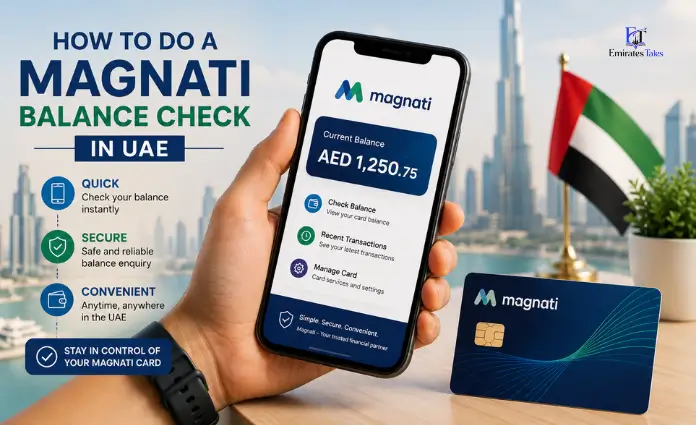
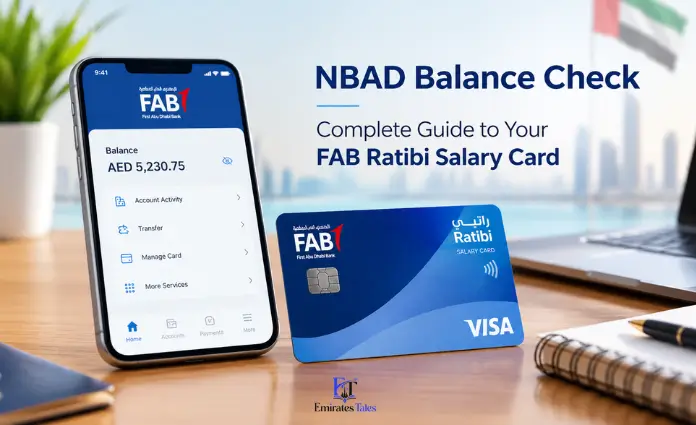
When FGB and NBAD merged to create FAB, the infrastructure for the NBAD bank prepaid card was absorbed and upgraded. Today, these services are managed under the FAB umbrella, specifically utilizing the Magnati payment solutions platform for prepaid and payroll card management. This is why you will often hear these cards referred to interchangeably as an FAB NBAD card, an NBAD PPC, or an NBAD Ratibi card.
The Ratibi card, in particular, is a lifesaver for unbanked workers. It features zero minimum balance requirements, no monthly fees, and free withdrawals across a massive network of ATMs. But to make the most of it, you need to know exactly how to execute an NBAD balance check quickly and securely.
Method 1: The NBAD Prepaid Card Inquiry System (Magnati PPC Portal)
The most popular and convenient way to verify your funds without leaving your home or office is through the official prepaid portal. Because the Ratibi and PPC accounts operate slightly differently from standard bank accounts, they have their own dedicated checking system. This is widely known as the NBAD prepaid card inquiry system or the Magnati PPC portal.
Performing an NBAD prepaid card balance inquiry online is entirely free, requires no complicated login credentials, and updates in real-time. If you are looking for an NBAD bank balance check salary card online, follow these exact steps:
- Access the Official Portal: Open a secure web browser on your smartphone or computer. You need to navigate to the official Magnati PPC portal. You can find this by going to the FAB website and looking for “Prepaid Cards Enquiry,” or by directly visiting the URL:
https://ppc.magnati.com/ppc-inquiry. - Verify the Secure Connection: Before entering any details for a PPC NBAD balance check online, look at your browser’s address bar. Ensure there is a small padlock icon indicating a secure, encrypted connection. Never enter your card details into an unsecured third-party site.
- Input the Last 4 Digits: The first field will ask for the last four digits of your 16-digit card number. Do not enter your full card number. A legitimate NBAD prepaid card enquiry system will never ask for the full 16 digits on the initial screen.
- Enter the Card ID: The second field requires your Card ID. This is a unique identification number associated with your specific prepaid card. It is usually printed on the front or back of the card itself, distinct from the 16-digit main number. Do not confuse this with your secret PIN or CVV code.
- Complete the Security Captcha: To prevent bots from spamming the system, you will see an image with distorted letters and numbers. Type the exact characters you see into the Captcha box. If they are too hard to read, look for a refresh button to generate a new code.
- Submit and View: Click the “Go” button. The FAB NBAD balance check online system will process your details and immediately display your available balance on the screen.
This NBAD online balance check method will also typically show you a list of your last few transactions. This allows you to confirm that your salary has been deposited or verify the amounts of your recent grocery purchases.
Method 2: How to Perform an NBAD ATM Balance Inquiry
While the NBAD prepaid card enquiry portal is fantastic for checking from home, sometimes you are already out running errands. Using an NBAD ATM (now branded as FAB ATMs) is one of the most reliable ways to execute an NBAD bank balance check. The FAB ATM network is the largest in the UAE, meaning you are never far from a machine.
Here is the safest way to check your funds physically:
- Locate an FAB ATM: You can use Google Maps or the FAB website to find the nearest machine.
- Insert Your Card: Push your NBAD card or FAB Ratibi card into the card reader slot, chip-side facing up and forward.
- Select Your Language: The screen will prompt you to choose between Arabic and English.
- Enter Your PIN Securely: Use the keypad to enter your 4-digit secret Personal Identification Number. Always cover your hand while typing to protect yourself from shoulder-surfing or hidden cameras.
- Choose Balance Enquiry: From the main menu, select the option labeled “Balance Enquiry” or “Account Balance.”
- View on Screen or Print: The ATM will ask if you want to view the balance on the screen or print a receipt. If you choose to print, take the small slip of paper—this serves as a quick, physical NBAD salary check. Always remember to take your receipt with you and shred it later to protect your financial privacy.
- Retrieve Your Card: Press cancel or exit to retrieve your card before walking away.
Method 3: Managing Funds via the FAB Mobile App and NBAD Online Banking
For users who hold standard accounts alongside their salary cards, or for those whose specific prepaid cards have been integrated into the newer digital banking ecosystem, NBAD online banking (now FAB Online) and the mobile app offer unparalleled control.
Using the Mobile App for an NBAD Balance Inquiry Online:
If your card is eligible to be linked to the main banking app, downloading the FAB Mobile app from the iOS App Store or Google Play Store is highly recommended.
- Open the app and log in using your registered username and password, or biometric login (Face ID/Fingerprint).
- Your dashboard immediately displays your total available balance.
- By tapping on your specific card, you can view a detailed Ratibi NBAD salary card statement, showing exactly where you spent your money over the last 30 to 90 days.
This level of detail makes the mobile app much more powerful than a simple NBAD balance check salary portal, as it categorizes your spending and allows you to track your financial health over time.
Using the Desktop Web Portal:
If you prefer a larger screen, you can navigate to the official bankfab.com homepage and select the personal banking login. Once authenticated via an OTP (One-Time Password) sent to your registered mobile number, you have full access to an NBAD online balance inquiry. The desktop dashboard is excellent for generating and downloading PDF copies of your statements, which you may need when renting an apartment or applying for personal loans.
Method 4: Phone and SMS Banking for an NBAD Bank Balance Enquiry
What happens if you do not have a smartphone, your internet connection is down, and there are no ATMs nearby? You can still perform an NBAD balance enquiry using traditional phone banking or SMS services.
Checking via SMS:
If you have registered your mobile number for SMS banking with FAB, you can do a quick balance inquiry NBAD via text message.
- Open your phone’s messaging app.
- Type a specific code (usually “BAL” followed by a space and the last four digits of your card or account number, e.g., “BAL 1234”).
- Send this text to the bank’s dedicated shortcode (such as 2121, though you should verify the current shortcode on the official FAB website).
- Within moments, you will receive an automated reply detailing your available balance and ledger balance.
Checking via the Call Center (IVR):
You can execute an NBAD FAB balance enquiry by calling the dedicated customer service lines.
- For Ratibi Card Service within the UAE: Call 600 52 2298.
- For General FAB Service within the UAE: Call 600 52 5500.
When you call, an automated Interactive Voice Response (IVR) system or an AI Virtual Agent will answer. You will be asked to select your language and choose the option for an NBAD inquiry. The system will prompt you to enter your card number or account number on your phone’s keypad, followed by an authentication metric (like a T-PIN or your date of birth). Once verified, the robotic voice will read your current available balance out loud.
Leveraging the Salary Advance NBAD Feature
One of the most valuable benefits of holding a Ratibi NBAD salary card is the potential access to a salary advance. Life in the UAE can occasionally bring unexpected expenses—a medical emergency, an urgent flight home, or an unexpected school fee. For eligible users, the salary advance NBAD feature acts as a financial safety net.
This facility allows workers to access a percentage of their upcoming monthly wage before their employer officially deposits it. Because the bank monitors your regular salary credits through the Wage Protection System, they can confidently offer this micro-loan knowing that the next paycheck is guaranteed to arrive.
How it works:
- Eligibility: To qualify, your salary must be consistently transferred to your FAB NBAD PPC for a minimum number of consecutive months (usually 3 to 6 months).
- Application: Eligible cardholders may receive an SMS inviting them to access the advance, or they can request it directly at an FAB ATM or through the mobile app.
- Repayment: The process is seamless. When your actual salary is deposited at the end of the month, the bank automatically deducts the advanced amount plus a small, fixed processing fee. There are no compounding interest rates, making it a much safer alternative to unregulated lending.
Always ensure you perform a routine NBAD salary checking routine after payday to confirm that your regular wages have cleared and the advance has been properly settled.
Troubleshooting Your NBAD Prepaid Enquiry
Technology isn’t perfect. Occasionally, when attempting a PPC NBAD balance check, you might run into an error screen. Here are the most common reasons an NBAD online balance inquiry might fail, and how to fix them:
1. Captcha Errors on the Magnati Portal:
The most common point of failure on the NBAD prepaid card inquiry system is the Captcha code. These security letters are case-sensitive and often difficult to read. If your inquiry fails, do not panic. Simply refresh the Captcha image to get a clearer code and try typing it again.
2. Incorrect Card ID:
Many users mistakenly enter their secret PIN or the 3-digit CVV code from the back of the card into the “Card ID” field. The Card ID is a specific alphanumeric sequence assigned to the physical card. If you cannot find it, contact FAB customer support for clarification.
3. Inactive or Blocked Cards:
If you left the UAE for an extended period, or if your employer failed to process your wages through the WPS for several months, your FAB NBAD PPC might be placed in a dormant status. If you are certain your details are correct but the portal returns a “Card Not Found” or “Blocked” error, you must visit a local FAB branch with your valid Emirates ID to reactivate the account.
4. System Maintenance:
Banks routinely upgrade their servers, usually late at night on weekends. If the NBAD prepaid card balance inquiry page refuses to load entirely, wait a few hours and try again.
Crucial Security Practices for Your NBAD Salary Account
Your salary card represents your livelihood, making it a primary target for scammers and phishing operations. Whenever you engage in a salary NBAD prepaid card balance inquiry, you must prioritize digital hygiene and operational security.
Avoid Fake Portals:
Cybercriminals frequently buy web domains that look similar to the official bank websites to steal your information. When searching for the NBAD prepaid card enquiry system, never click on suspicious links sent via WhatsApp or unsolicited emails. Always ensure the URL in your browser explicitly reads bankfab.com or ppc.magnati.com.
Never Share OTPs or PINs:
No legitimate bank employee, police officer, or government official will ever call you and ask for your 4-digit ATM PIN or the OTP (One-Time Password) sent to your mobile phone. If someone calls claiming to be from FAB asking for these details to “unblock your account” or “process an NBAD salary check,” hang up immediately. It is a scam.
Be Wary of Public Wi-Fi:
Avoid performing a Ratibi NBAD card balance inquiry while connected to public, unsecured Wi-Fi networks at cafes, malls, or airports. Hackers can intercept the data transmitted over these networks. Always use your secure mobile data (Etisalat or Du) or a trusted home Wi-Fi network.
Conclusion
Transitioning into the UAE’s workforce is a rewarding experience, and having immediate, secure access to your hard-earned money is a fundamental part of that journey. Even though the branding on the buildings has changed from NBAD to FAB, the robust infrastructure supporting your payroll remains intact and more efficient than ever.
By familiarizing yourself with the Magnati PPC portal for an instant NBAD balance inquiry online, utilizing the expansive FAB ATM network for physical cash management, and understanding advanced features like the salary advance NBAD, you put yourself in total control of your financial destiny. Always remember to prioritize your security, never share your PINs, and make it a habit to perform a routine NBAD balance check to ensure your spending aligns with your goals. With these tools at your disposal, managing your UAE payroll card becomes a seamless, stress-free part of your daily routine.
Frequently Asked Questions (FAQs)
To ensure every base is covered, here is a detailed compilation answering the most specific questions users have regarding their cards.
How do I do an NBAD bank balance check salary card online?
The fastest method is to visit the Magnati Prepaid Enquiry portal (ppc.magnati.com). You will need the last four digits of your card number and your specific Card ID. Enter these into the secure form, solve the Captcha, and your current balance will be instantly displayed.
What exactly is a PPC NBAD?
PPC stands for Prepaid Card. Before the transition to First Abu Dhabi Bank, NBAD issued thousands of these prepaid cards to facilitate employer payrolls under the UAE government’s Wage Protection System. They function similarly to debit cards but are generally not linked to a traditional checking account with checkbook privileges.
Can I get a full Ratibi NBAD salary card statement?
Yes. While the basic online portal will only show you your current balance and a handful of the most recent transactions, you can access a full historical statement by logging into the FAB Mobile App (if registered), or by visiting an FAB ATM and requesting a mini-statement printout. For deep historical records, you can visit a physical FAB branch and speak to a teller.
Is an NBAD balance check salary process free of charge?
Yes. Checking your balance through the official Magnati online portal, the FAB mobile app, or at any FAB-branded ATM is completely free. Be aware, however, that using your Ratibi card to check your balance at a non-FAB ATM (for instance, an Emirates NBD or ADCB ATM) may incur a small cross-network inquiry fee.
What happens to my NBAD balance if I lose my card?
Your money is secure. The funds are tied to your account profile, not the physical plastic itself. If you lose your NBAD bank prepaid card, you must immediately call the FAB Ratibi customer service line (600 52 2298) to block the card. They will issue a replacement card, and your existing balance will be safely transferred to the new plastic.
Why does my salary NBAD prepaid card balance inquiry show zero on payday?
Salary processing through the UAE Central Bank’s Wage Protection System can sometimes take 24 to 48 hours to clear. If your colleagues have received their money but your balance inquiry NBAD still reads zero, give it one business day. If it still has not appeared, speak to your company’s HR or payroll department before contacting the bank, as the delay is usually on the employer’s side.
Is the NBAD prepaid enquiry portal available in Arabic?
Yes, the Magnati PPC inquiry system and all FAB ATMs offer full bilingual support. You can easily toggle the interface between English and Arabic to comfortably complete your NBAD prepaid card inquiry.
Can I use my NBAD online balance check to view multiple cards at once?
If you use the official FAB Mobile app or online banking dashboard and have all your accounts linked to your single Emirates ID, you will see a consolidated view of all your accounts. However, if you are using the public NBAD prepaid card inquiry system (Magnati portal), you must check each card individually by entering its unique last four digits and Card ID.