





If you are working in the UAE, chances are you get your salary paid onto a First Abu Dhabi Bank (FAB) Ratibi Card. It is super convenient—especially since it operates under the Wages Protection System (WPS)—meaning you don’t need to worry about maintaining a traditional, high-balance bank account.
However, because it’s a prepaid payroll card rather than a regular debit card, figuring out how to check your money can feel a little confusing at first. Whether you’re standing in a grocery store aisle wondering if your deposit has cleared, planning to send money back home to your family, or just keeping an eye on your monthly budget, you need a quick way to check your funds.
The good news? Checking your Ratibi card balance is completely free and takes less than a minute once you know the right steps. Let’s walk through all the ways you can check your balance online and offline, plus a few simple fixes if something goes wrong.
What is a Ratibi Card (And Why You Should Track It)?
Issued by FAB in partnership with Magnati, the Ratibi Card is basically a secure digital wallet for your monthly wages. Employers load your salary directly onto it, and you can use it just like a regular card for ATM withdrawals, shopping, or online payments.
Keeping track of your balance regularly helps you:
- Avoid awkward moments: Never get caught at the checkout counter with a declined transaction.
- Confirm your payday: Know the exact moment your employer drops your salary.
- Keep a tight budget: Easily track your spending and plan out your remittances without guessing.
Method 1: The Online Portal (Fastest Web Method)
If you don’t want to download any apps and just want a quick peek at your balance from your phone or laptop browser, the official Magnati PPC portal is your best bet.
What you need:
- The last 2 digits of your 16-digit Ratibi card number.
- Your unique Card ID (this is a separate 13-digit code printed right on the front of your card—don’t confuse it with your ATM PIN).
Step-by-step:
- Head over to the official portal in your browser: ppc.magnati.com/ppc-inquiry.
- Type the last 2 digits of your card number into the first box.
- Type your 13-digit Card ID into the second box.
- Type in the security verification (CAPTCHA) characters shown on the screen.
- Tap “Go” and your balance will pop up right away.
Method 2: Using the Payit App (Best for Smartphones)
If you use your phone for everything and want a proper dashboard that tracks your money over time, download FAB’s Payit digital wallet. It’s built specifically to handle prepaid cards like Ratibi, and it lets you view transaction histories, pay bills, and even send money abroad.
Step-by-step:
- Download the Payit app from the App Store or Google Play Store.
- Sign up using your active mobile number and verify your identity with your Emirates ID.
- Link your Ratibi Card by putting in your card details and Card ID.
- Create a secure login PIN (you can also use Face ID or your fingerprint).
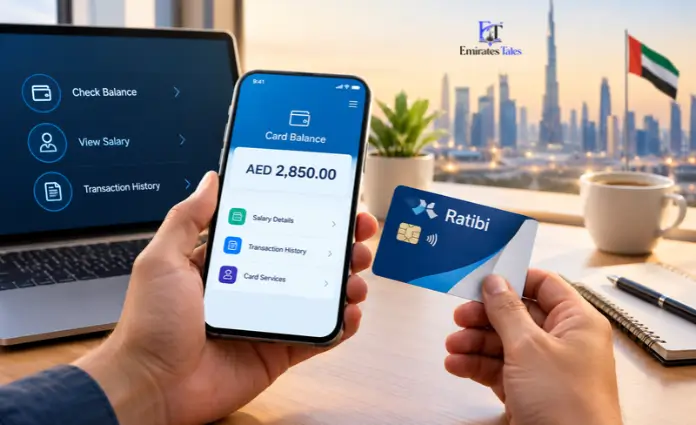
- Once you’re logged in, your live balance and recent purchases will be right there on the home screen.
Method 3: Checking Through the FAB Mobile App
Already use the main First Abu Dhabi Bank app for other things? You can easily link your Ratibi card right into your main dashboard.
Step-by-step:
- Open the FAB Mobile App.
- Log into your account.
- Look for the Cards or Prepaid Cards tab.
- Tap on your Ratibi card to check your funds and scroll through past transactions.
Method 4: Use a FAB ATM (No Internet Needed)
No mobile data? No problem. You can check your balance the old-school way at any physical ATM.
Step-by-step:
- Walk up to any First Abu Dhabi Bank (FAB) ATM.
- Slide your Ratibi card into the machine.
- Punch in your secret 4-digit ATM PIN.
- Choose Balance Inquiry from the menu options on the screen.
- Check your balance on the display, or hit print if you want a physical receipt.Note: Checking your balance at a FAB ATM is 100% free.
Method 5: Call Customer Support
If technology isn’t cooperating or you prefer a quick voice call, you can talk to support 24/7.
- Calling from inside the UAE: 600 522 298
- Calling from outside the UAE: +971 2 499 6279
Follow the automated voice prompts or ask a representative to check your card details for you.
Quick Fixes for Common Ratibi Issues
Run into a snag? Here is how to fix the most common issues:
| What’s Wrong | Why It Happens | How to Fix It |
| “Invalid Details” Error | You probably typed the full 16-digit card number instead of just the last 2 digits, or made a typo in the Card ID. | Double-check the physical card. Remember, you only need the last 2 digits of the card number plus the separate 13-digit Card ID. |
| Portal Won’t Load | Everyone is trying to check their balance at the exact same time on payday, or your internet is acting up. | Give it a few minutes, clear your browser cache, or switch from mobile data to Wi-Fi. |
| Salary Isn’t Showing Up | Your company’s payroll department hasn’t released the funds yet. | Check if you got an official SMS text from FAB. If payday is running late, check in with your company’s HR team. |
| Forgotten PIN / Locked Out | Entering the wrong ATM PIN too many times. | Call the FAB Ratibi helpline right away to safely reset your PIN. |
Keeping Your Money Safe
Your Ratibi card holds your hard-earned cash, so keep these safety rules in mind:
- Keep your info private: Never share your Card ID, full card numbers, or your ATM PIN with anyone. Real bank employees will never ask for your PIN.
- Watch out for scammers: Be careful with random text messages claiming your card is blocked and linking to sketchy websites. Always make sure you are using official links like
ppc.magnati.com. - Log out: If you check your balance on a public computer or a friend’s phone, make sure you completely close the browser window when you’re done.
Frequently Asked Questions
1. Does it cost anything to check my Ratibi card balance online?
Nope! Checking your balance through the Magnati website, mobile apps, or FAB ATMs is completely free.
2. What’s the difference between a Card ID and an ATM PIN?
Your Card ID is the 13-digit code printed on the front of your card used for online checks. Your ATM PIN is the secret 4-digit code you type into the machine when you withdraw cash.
3. Can I check my balance via a text message (SMS)?
Right now, FAB doesn’t have a direct text command to check balances. You’ll need to use the web portal, an app, or an ATM.
4. Why does the website keep saying “Invalid Card Details”?
You’re likely typing the whole 16-digit card number into the wrong box. The system only asks for the last 2 digits of your card number, paired with your 13-digit Card ID.
5. What should I do if my salary hasn’t arrived on payday?
First, check your balance online to be sure. If it’s empty, reach out to your company’s HR or payroll department. The delay is almost always on the employer’s end rather than the bank.
6. Can I use my Ratibi card to buy things online?
Yes, as long as the card supports online transactions and you have it linked to a secure app like Payit for verification.
7. What should I do if my card gets lost or stolen?
Call FAB Ratibi customer support immediately at 600 522 298 to freeze the card so nobody else can spend your money.
8. Do I need to keep a minimum balance on the card?
No, Ratibi cards don’t have minimum balance requirements or hidden monthly maintenance fees.
9. Can I check my balance while I’m traveling outside the UAE?
Yes! As long as you have an internet connection, you can log into the online portal or mobile apps anywhere in the world.
10. How can I see my past transactions?
You can scroll through your recent history right inside the Payit or FAB mobile apps, or pop your card into a FAB ATM and print out a mini-statement.