





If you have spent more than a few days navigating Dubai, you already know that the RTA NOL card is the ultimate key to the city. It started years ago as a simple plastic ticket for the Dubai Metro and public buses. Today, it has morphed into a full-fledged digital wallet. We use it to pay for RTA public parking, jump into taxis, grab a quick coffee, and even buy groceries at Zoom and Al Maya supermarkets.
Because we use it for almost everything, draining the balance happens much faster than it used to. There is genuinely nothing more frustrating than rushing to catch a train during the morning peak hours, tapping your card at the gate, and being met with that dreaded red light and a loud beep indicating insufficient funds. You are suddenly stuck backing out of the turnstile while a line of impatient commuters sighs behind you.
Knowing exactly how much credit you have on your card before you leave the house is the easiest way to keep your commute stress-free. Whether you are heavily reliant on your smartphone, prefer texting, or just want to use the physical machines at the station, the Roads and Transport Authority (RTA) has built out several ways to verify your funds instantly.
Let’s walk through the easiest, most reliable methods to check your NOL card balance this year so you never get caught off guard at the fare gates.
5 Quickest Methods for a NOL Card Balance Check
The RTA has seriously upgraded its tech infrastructure over the last few years. You no longer have to stand in a massive queue at the ticket office just to ask a staff member how much money is left on your card. Here are the five best ways to check your balance, ranked by how fast and easy they are to use.
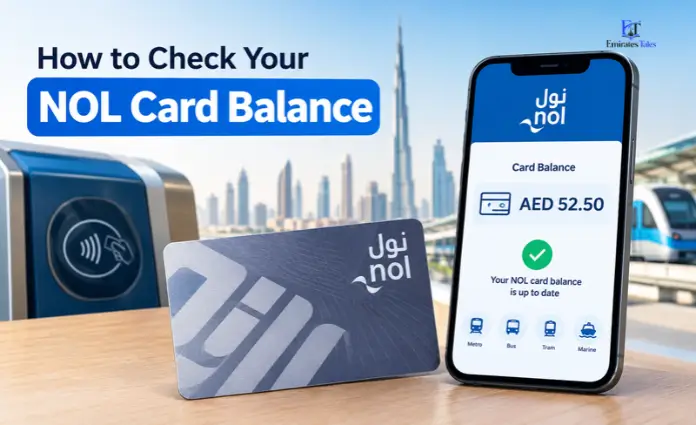
Method 1: The nol Pay App (NFC Instant Check)
If you have a relatively modern smartphone, this is the absolute best way to manage your card. It takes about three seconds, and it feels like magic the first time you do it. The official nol Pay app uses Near Field Communication (NFC)—the same technology that allows Apple Pay and Google Pay to work—to physically read the microchip inside your plastic card.
How to do it:
- Get the app: Download the official nol Pay application from the Apple App Store, Google Play, or Huawei AppGallery.
- Open the checker: Launch the app and tap the prominent “Check Card Info” button right on the home screen.
- Tap your card: Hold your physical NOL card against the back of your phone. If you are using an iPhone, the NFC reader is usually near the top by the camera. On Androids, it is typically right in the middle of the back panel.
- See your balance: Your phone will give a slight haptic vibration, and your current available balance will pop up instantly on the screen.
Pro Tip: The best part about this method is that it shows you a complete history of your recent taps and purchases. Plus, if you are running low, you can instantly top up using your phone’s saved credit cards, and the NFC technology immediately writes those new funds directly to the card. No waiting required.
Method 2: RTA Official Website (No App Required)
Sometimes you are sitting at your office desk and just want to do a quick check before heading home, or maybe your phone is out of storage and you don’t want to download another application. The RTA’s official web portal is incredibly reliable and doesn’t require you to create an account or log in for a basic check.
How to do it:
- Find your Tag ID: Grab your physical NOL card and flip it over. Look at the bottom right corner. You will see a unique 10-digit number printed there in black text.
- Go to the website: Open your browser and head over to rta.ae. Navigate to the public transport section, or simply look for the “Check nol Balance” quick link on the homepage.
- Type it in: Enter your 10-digit Tag ID into the search bar.
- Hit search: The page will instantly generate your current balance.
Pro Tip: If you manage multiple cards for your family or children, write their Tag IDs down in your phone’s notes app. You can easily copy and paste them into the website whenever you need to ensure they have enough fare for the school week.
Method 3: WhatsApp via RTA Mahboub Chatbot
Because virtually everyone in the UAE uses WhatsApp, the RTA smartly integrated its AI customer service assistant, Mahboub, directly into the messaging platform. This is a brilliant option if you want to check your balance on the go without dealing with websites or standalone apps.
How to do it:
- Save the number: Add the official RTA WhatsApp business number to your phone’s contacts: +971 58 800 9090.
- Send a message: Open a chat with the RTA and type something simple, like “Check Nol Balance” or even just “Nol.”
- Follow the bot’s instructions: Mahboub will reply almost instantly, asking you to provide your 10-digit Tag ID.
- Get your result: Type in the numbers, hit send, and Mahboub will immediately message you back with your exact available balance.
Method 4: Offline at Dubai Metro & Bus Stations
If you are already out and about, you don’t need the internet to check your funds. The physical infrastructure across Dubai’s transport network is designed to give you this information instantly.
How to do it:
- Ticket Vending Machines (TVMs): You will find these large touchscreen machines at every single Dubai Metro and Tram station. You don’t even have to press a button. Just place your card on the glowing contactless reader pad below the screen, and your balance will flash on the display.
- Solar Smart Shelters: If you are waiting for a bus, look for the solar-powered top-up machines installed inside many of the larger, air-conditioned bus shelters. Tapping your card here does the exact same thing.
- The Gates: Pay attention when you travel. Every time you tap your card on the validator gate to enter or exit a station, the digital screen on the turnstile displays your remaining balance for a few seconds.
Method 5: SMS Balance Inquiry (The Offline Backup)
Years ago, checking your balance via a text message was the go-to method for thousands of commuters. You would simply text your 10-digit Tag ID to the number 511.
The 2026 Reality: While this service theoretically still exists as a backup for people without smartphones, it is no longer the most reliable option. Depending on your telecom provider and network congestion, the SMS response can be heavily delayed or sometimes fail to arrive at all. We highly recommend sticking to the nol Pay app, WhatsApp, or the RTA website to avoid frustration.
Crucial RTA Rules: Minimum Balances & Penalties
Using public transport in Dubai is incredibly smooth, but the RTA is strictly regulated. You need to be aware of the financial rules tied to your NOL card, because making a mistake here can result in a hefty fine.
The AED 7.50 Rule
You cannot simply have “some” money on your card to ride the Metro; you must meet the minimum threshold. To legally pass through the entry gates of the Metro, Tram, or public buses, your card must hold a minimum balance of AED 7.50.
Why this specific number? Because AED 7.50 is the maximum possible fare for a single, one-way journey that spans across all of Dubai’s transport zones. The system requires you to have enough money to cover the longest possible trip upfront. If your balance is AED 7.49 or lower, the gate will reject you.
The Cost of Fare Evasion
The RTA does not take fare evasion lightly. Roaming inspectors frequently board buses and trams, and stand near Metro exits with handheld card scanners. If you are caught traveling without having properly tapped in, or if you somehow tailgated another passenger through the gate without a validly funded card, you will be hit with an immediate AED 200 fine. It is never worth the risk.
The “Pending Balance” Trap (The 45-Minute Rule)
This is the most common trap that catches out well-meaning commuters. Let’s say you are walking to the Metro, realize you are broke, and use your banking app or the RTA website to top up your card. You get to the gate five minutes later, tap your card, and it still says “Insufficient Funds.” What happened?
When you top up online, the money doesn’t instantly beam onto the offline microchip inside your physical plastic card. It goes into a central RTA server cloud.
- It typically takes 45 minutes to 4 hours for the system to process that transaction and push it to the station gates.
- Once the time passes, your money is sitting in a “pending” state.
- To actually get the money onto your card, you have to physically tap it on a Metro gate, an RTA parking meter, or a station vending machine. This physical tap is what actually writes the new balance onto your card.
- Note: Using the nol Pay smartphone app completely bypasses this headache, as your phone’s NFC acts as the physical writing machine instantly.
| Card Type | Minimum Balance Required | Max Limit (Anonymous) | Max Limit (Registered) | Fine for Fare Evasion |
| Silver Card | AED 7.50 | AED 1,000 | AED 5,000 | AED 200 |
| Gold Card | AED 7.50 | AED 1,000 | AED 5,000 | AED 200 |
| Personal (Blue) | AED 7.50 | N/A | AED 5,000 | AED 200 |
Card Expiry and Balance Transfers
Many residents are surprised to learn that physical NOL cards actually expire. Standard Silver and Gold cards have a strict lifespan of five years from the very first day you tap them.
Once your card hits that five-year anniversary, it is permanently deactivated. You won’t be able to use it at a Zoom store, a parking meter, or a Metro gate, regardless of how much cash is still loaded onto it.
The good news is that the RTA doesn’t steal your money when the card expires. You can easily transfer the stranded funds. Just walk up to the ticket office at any major Dubai Metro station, or visit an RTA Customer Happiness Centre (like the massive 24/7 facility in Umm Ramool). Buy a new Silver or Gold card, hand both the old and new cards to the agent, and they will securely migrate your entire balance over to the new chip in about two minutes.
Frequently Asked Questions (FAQs)
1. Can I check my NOL card balance using just my Emirates ID or phone number?
No, you cannot. The entire RTA system runs on the unique 10-digit Tag ID printed on the back of your physical card. Your phone number or Emirates ID alone won’t pull up the balance unless you are fully logged into a registered RTA account on their portal.
2. Why is the money I just loaded online not showing up on the turnstile screen?
Because online and bank top-ups are not instant. The transaction has to bounce from your bank to the RTA servers, and then be pushed out to the physical gates. This takes between 45 minutes and 4 hours. Once the system catches up, you still have to physically tap your card on an RTA machine to pull the pending funds onto the chip.
3. What is the absolute maximum amount of money I can keep on my card?
If you bought a standard Silver or Gold card from a station and never registered it, it can hold a maximum of AED 1,000. If you go to the RTA website and link your card to your Emirates ID, the limit jumps up to AED 5,000.
4. How do I get in touch with the RTA if my balance is completely wrong?
If a machine double-charged you or a top-up vanished, call the RTA’s 24/7 toll-free customer service line at 800 9090. You can also email them at ASK@rta.ae, but speaking directly to the staff at a Metro ticket booth is usually the fastest way to solve a billing glitch.
5. Is it possible for my NOL card balance to drop below zero?
Yes. You need AED 7.50 to enter the gates. But if you have exactly AED 7.50, and you take a long journey across multiple zones that costs AED 8.50, the gate will let you out, but it will pull your card into a negative balance (-AED 1.00). You will have to top up and clear that negative debt before you can ride again.
6. Can I just tap Apple Pay or Google Pay at the Metro gate instead of carrying a card?
As of right now, no. You cannot use Apple Pay or your digital bank cards directly on the turnstiles to pay for a fare. You must use an RTA-issued NOL card. You can, however, use Apple Pay inside the nol Pay app to fund your physical card.
7. Where exactly do I find my Tag ID?
Flip your plastic card to the back. In the bottom right corner, beneath the magnetic stripe area, you will see a 10-digit number. That is your Tag ID.
8. Do I get charged a fee for checking my balance online or on WhatsApp?
Absolutely not. Checking your balance is a completely free service across all of the RTA’s official platforms, including the website, the apps, and the Mahboub chatbot.
9. Will my card expire if I keep it in a drawer and don’t use it for a year?
Yes. The five-year expiration clock starts ticking the moment you use the card for the very first time. It does not matter if you use it every day or leave it in a desk drawer for three years; it will still expire exactly five years from that initial activation date.
10. Can I get a cash refund if I am leaving Dubai and have money left on my card?
You cannot get cash directly handed to you at a Metro station. You can, however, apply for a refund. You need to submit a request through the RTA website or at a Customer Happiness Centre. Be aware that the RTA charges a processing fee (typically around 2.5% of the card’s value or a flat fee, whichever is higher) to refund the money back to your bank account, and the process takes a few days.