





Let’s be honest—keeping track of your money shouldn’t feel like a chore. If you live or work in the GCC, chances are you interact with Lulu Group International quite a bit, whether you’re doing your weekly grocery haul at the hypermarket or receiving your monthly wages through their exchange network.
If you’ve ever stood at a checkout counter wondering if your gift card still has enough credit, or waited anxiously for a salary deposit to clear, you know how frustrating it is not knowing your exact balance.
This guide cuts through the confusion. I’ll walk you through everything you need to know to check your Lulu balance online, via mobile apps, and through offline backups so you can always stay on top of your funds.
First Things First: What Kind of Lulu Card Do You Have?
Before we jump into the steps, it helps to clear up a common mix-up. When people talk about a “Lulu card,” they usually mean one of two completely different things:
- Lulu Exchange Salary/Payroll Cards: These are issued to employees (often through partnerships with banks like First Abu Dhabi Bank) to receive monthly wages under government payroll systems.
- Lulu Shopping & Gift Cards: These are prepaid plastic or digital vouchers you use to buy groceries, electronics, and household goods at Lulu stores.
Because these serve totally different purposes, the way you check their balances is also different. Let’s look at salary cards first.
Method 1: Check Your Salary Card Balance via the Lulu Money App (The Easiest Way)
If you have a Lulu payroll card, ditch the trip to the ATM. The Lulu Money App (available on iOS, Android, and Huawei devices) is hands-down the fastest and most convenient way to keep an eye on your money. It syncs with your account in real-time, meaning you see updates the second they happen.
How to do it:
- Get the App: Head to your phone’s app store and download the official Lulu Money app if you haven’t already.
- Log In Securely: Fire up the app and sign in using your registered mobile number. You can usually set up biometric logins like Face ID or fingerprint scanning so you don’t have to type your password every time.
- Find Your Cards: Tap on the card icon or look for “LuLu Money Cards” / “My Cards” right there on the dashboard.
- View Your Funds: Tap your specific salary card, and your live available balance will pop right up on the screen.
Why I recommend this: Beyond just checking your balance, the app lets you review your transaction history, check if your monthly wages have landed yet, and manage your card settings without paying a single cent in inquiry fees.
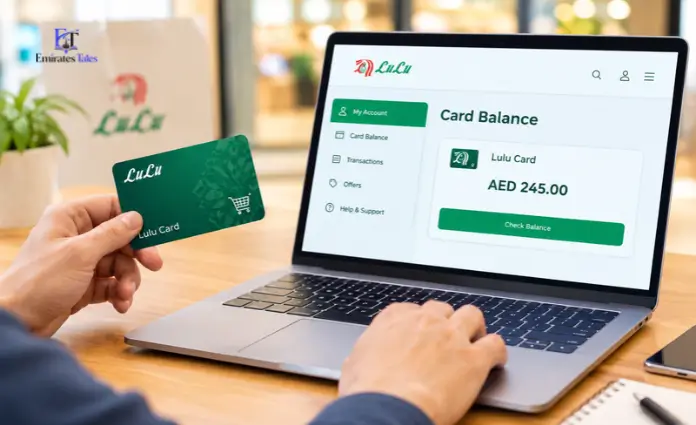
Method 2: Check Your Lulu Gift Card Balance Online
Got a shopping voucher tucked away in your wallet or sitting in your email? Here is how you can check how much spending power you have left before heading to the store.
How to do it:
- Head to the Portal: Open your browser and go to the official Lulu gift card balance-checking page (or the secure partner portal linked on your e-gift card confirmation).
- Type in Your Card Number: Carefully enter your 16-digit card number. Take a quick second to make sure there aren’t any accidental spaces hiding at the end.
- Enter the PIN: Scratch off the silver panel on the back of your physical card (or check your email receipt if it’s digital) to find your 6-digit security PIN. Type that in.
- Hit Check: Click the button to view your active balance and expiry date instantly.
Old-School & Offline Ways to Check Your Balance
Let’s face it—sometimes your phone battery dies, or the internet acts up. If you need a quick balance check offline, you have a few reliable backups:
- Use an ATM: Pop your Lulu salary card into any local ATM (or a partner ATM like FAB). Type in your 4-digit PIN and select “Balance Inquiry.” Just keep in mind that some networks might charge a tiny fee (around AED 2) if you’ve already used up your free monthly checks.
- Visit Customer Service: Walk up to the customer service desk at any Lulu Hypermarket or pop into a Lulu Exchange branch. Hand over your card along with your Emirates ID, and a staff member will gladly pull up your balance for free.
- Call the Helpline: You can always dial the 24/7 customer care hotline (like
600 522 204in the UAE) to speak with a representative or use the automated phone menu.
Troubleshooting Common Headaches
Ever logged in and felt your stomach drop when you saw a zero balance? Before you panic, check these common culprits:
- The Payday Delay: If it’s payday and your app says zero, take a deep breath. It’s usually just a slight processing delay on your employer’s end rather than an issue with Lulu.
- The Dreaded ATM Lockout: Typed your PIN wrong three times in a row? The machine will lock your card to keep your money safe. You’ll need to contact support or visit an exchange branch to get it sorted out.
- Expired IDs: If your resident ID (like your Emirates ID) expires and isn’t updated on your account, your financial profile might get temporarily frozen. Make sure your documents are up-to-date!
Frequently Asked Questions
1. Is checking my Lulu salary card balance online free?
Yes, absolutely. Using the official Lulu Money app or web portal costs nothing.
2. Do I need an internet connection to use the Lulu app?
Yep. You’ll need working Wi-Fi or mobile data to pull your live account details from the server.
3. What do I need to check my gift card balance?
Just two things: the 16-digit card number and the 6-digit PIN on the back.
4. Can I check my card balance while traveling outside the country?
Of course! As long as you have internet access and your phone nearby to receive security verification codes, you can check it from anywhere in the world.
5. Why isn’t my SMS balance check working?
Lulu has largely shifted away from clunky text-message shortcodes in favor of secure app notifications. Stick to the Lulu Money app for peace of mind.
6. What should I do if my card gets lost or stolen?
Open the Lulu Money app right away and freeze the card, or call customer care at 600 522 204 immediately to block anyone else from using it.
7. Are ATM balance checks free?
Most ATMs charge a tiny fee (usually around AED 2) for balance checks. That’s why using the mobile app is always the smarter choice.
8. How fast does a salary show up after my company transfers it?
Once your employer’s payroll file clears through banking channels, the money typically shows up in your Lulu account instantly.
9. Can I send money home using my card balance?
Yes! The Lulu Money app lets you send international remittances, pay your bills, or transfer cash to local bank accounts straight from your card.
10. Who do I call if my account gets locked?
You can drop an email to customercare@ae.luluexchange.com or call their 24/7 helpline to verify your identity and unlock your account.